• Saat ini Anda mengakses IndoForum sebagai tamu, sehingga Anda tidak memiliki akses penuh untuk melihat artikel dan diskusi yang hanya tersedia bagi anggota. Dengan bergabung, Anda akan mendapatkan akses penuh untuk bertanya, mengirim pesan pribadi, mengikuti polling, dan menggunakan fitur-fitur lainnya. Proses pendaftaran sangat cepat, mudah, dan gratis.
    Silakan daftar dan validasi email Anda untuk mendapatkan akses penuh sebagai anggota. Harap masukkan alamat email yang valid dan periksa kotak masuk Anda setelah mendaftar untuk proses validasi.

Jual Paket Software 3D Murah Meriah

1945kitamerdeka

IndoForum Newbie A
No. Urut
49906
Sejak
11 Agt 2008
Pesan
259
Nilai reaksi
0
Poin
16
6t9oncbo_2.jpg

List Software:

  • 3ds max 2009
  • 3ds max 2010
  • 3ds max 2011
  • Mudbox 2009 Sp2 Win x32bit
  • Mudbox 2011 Sp 1
  • Blender
  • DAZ 3D - DAZ studio Advanced
  • Nevercenter Silo Pro
  • Softimage Face Robot
  • NewTek Lightwave
  • Poser
  • Softimage XSI 7
  • Softimage XSI 2010
  • Softimage XSI 2011
  • Carrara 7
  • Eon Vue 7
  • Eon Vue 8
  • SideFX Houdini 10.0.233 Win32
  • SideFX Houdini Master V10.0.58
  • LUXOLOGY MODO V401.WIN32
  • LUXOLOGY MODO V401.WIN32 SP4
  • Rhinoceros 4.0 SR 8
  • SketchUp Pro 7
  • EIAS v 8.0
  • Next Limit Realflow
  • Alias 2010
  • SolidWork
  • The Foundry Nuke
  • Motion Builder
  • Motion Builder 2010
  • Zbrush 3.1
  • Zbrush V.3.5 R3
  • Zbrush V.3.5 R2
  • Maya 2009
  • Maya 2010
  • Maya 2011
  • Maxon cinema 4d v11.5
  • R3allusion iClone PRO 4.3


    Update
    • R3allusion iClone PRO 4.3
    • Zbrush 4
    • PROCEDURAL CITYENGINE V2010
    • Google SketchUp 8
    • Unreal Development Kit ( UDK )
    • Unity Pro 3.2.0 Build f4 (61061) x32-x64 (2011)
    • Ligthwave 3D Ver 10
    • Autodesk 3ds Max 2012
    • Autodesk 3ds Max Entertainment Creation Suite Premium 2012
    • Autodesk Alias Suite - Automotive 2012
    • Autodesk Alias Suite - Design 2012
    • Autodesk Alias Suite - Surface 2012
    • Autodesk AutoCAD 2021
    • Autodesk AutoCad Architecture
    • Autodesk Maya 2012
    • Autodesk Maya Entertainment Creation Suite Premium 2012
    • Autodesk MotionBuilder 2012
    • Autodesk Mudbox 2012
    • Autodesk Softimage 2012
Tool
  • 3dsmax 2009 plugin collection
  • 3dsmax 2010 - 2011 plugin collection
  • Arcmodel collection
  • Motion Capture
  • Vray Material
  • Zbrush Alpha Brushes
  • 3D models of people AXYZ Metropoly HD evo2 3D MAX Rigged Models
  • 3D models Humans Business and City


==================================

semua software dah ditest dan berjalan dengan oke.

HARGA
1. Kalo Borong semua total 24 DVD : Rp 170.000
2. Kalo Beli Per DVD harganya Hanya Rp 8.000 / DVD ( jadi bukan di hitung perjudul, misalkan ada 2 judul jika di totalkan jadi 1 dvd..maka cukup bayar Rp 8.000 aja.. )
Silahkan bagi yang mau pilih2 Judul Download list filenya disini
Kode:
[SIZE="4"][CENTER]http://www.mediafire.com/?kpp0l45nkhfr2h9[/CENTER][/SIZE]

3. Harga di luar ongkos kirim.


Cara Pemesanan
SMS : 081374948400
mail ke [email protected]
PM

makasih atas perhatiannya.

BUKTI TRANSAKSI PENGIRIMAN BRG

05122010030.jpg
 
list plugin 3dsmax ( 3dsmax 2009 )

Kode:
VisMasters.V-Ray.Architectural.Materials.Vol.2
Boomerlabs.MAX2AE.V3.0.For.3ds.Max-XFORCE
Cebas.Final.Dof.V1.5.For.3dsmax.2009.32bit-XFORCE
Cebas.Final.Dof.V1.5.For.3dsmax.2009.64bit-XFORCE
Cebas.Final.Flares.V1.5.For.3dsmax.2009.32bit-XFORCE
Cebas.Final.Flares.V1.5.For.3dsmax.2009.64bit-XFORCE
Cebas.Finalrender.Stage1.R2.0.SP2.For.3ds.Max.Win32-XFORCE
Cebas.Finalrender.Stage1.R2.0.SP2.For.3ds.Max.Win64-XFORCE
Cebas.Pyrocluster.V3.5.For.3dsmax.2009.32bit-XFORCE
Cebas.Pyrocluster.V3.5.For.3dsmax.2009.64bit-XFORCE
Cebas.Thinking.Particles.V3.0.SP2.For.3dsmax.32bit-XFORCE
Cebas.Thinking.Particles.V3.0.SP2.For.3dsmax.64bit-XFORCE
Chaos.Group.Vray.Advanced.v1.50.SP2.For.3ds.Max.2009.32bit
Chaos.Group.Vray.Advanced.v1.50.SP2.For.3ds.Max.2009.64bit
Craft.Director.Tools.v8.1.8.For.3ds.Max.2009.and.Maya-XFORCE
DDAG.f-Edge.V1.04.For.3ds.Max.2009
EdgeChEx.v4.1.2.For.3ds.Max.2009-ENGiNE
Electric.Rain.Swift.3D.MAX.v3.Release.v1.64.For.3ds.Max.2009-ARN
Lumonix.Puppetshop.V3.41.For.3ds.Max.2009-XFORCE
Lumonix.Shader.FX.V2.07.For.3ds.Max.2009-XFORCE
Lumonix.Skin.FX.V2.08.For.3ds.Max.2009-XFORCE
MapLayers.v1.6.7.For.3ds.Max.2009-ENGiNE
Maxwell.Max.V1.7.8.For.3ds.Max.2009.32&64bit
nPower.Power.Nurbs.Pro.And.Power.Translators.Pro.V5.31.For.3ds.Max.2009.32bit-XFORCE
nPower.Power.Nurbs.Pro.And.Power.Translators.Pro.V5.31.For.3ds.Max.2009.64bit-XFORCE
nPower.Power.Nurbs.Tutorials
Onyxgarden.Super.Bundle.With.Treestorm.For.3ds.Max.8-2009.X86.X64-XFORCE
Polyboost.V4.1.For.3ds.Max.2009-XFORCE
Polygonmap.v4.3.For.3ds.Max.2009-ENGiNE
Rayfire.Tool.V1.34.For.3ds.Max.2009
Roof.Designer.v1.1.For.3ds.Max.2009-ENGINE
RealFlow.4.3.8.x86
Rpc.Plugins.For.3ds.Max.2009.v3.14.0.0.32bit-ENGiNE
Sitni.Sati.Afterburn.V4.0.For.3ds.Max.2009.32bit-XFORCE
Sitni.Sati.Afterburn.V4.0.For.3ds.Max.2009.64bit-XFORCE
Sitni.Sati.Dreamscape.V2.5d.For.3ds.Max.2009.32bit-XFORCE
Sitni.Sati.Dreamscape.V2.5d.For.3ds.Max.2009.64bit-XFORCE
Sitni.Sati.Fumefx.V1.1.For.3ds.Max.2009.32bit-XFORCE
Sitni.Sati.Fumefx.V1.1.For.3ds.Max.2009.64bit-XFORCE
Softimage.CAT.V3.1.For.3ds.Max.2009.32bit-XFORCE
Softimage.CAT.V3.1.For.3ds.Max.2009.64bit-XFORCE
VisMasters.V-Ray.Architectural.Materials.Vol.1
Vray.1.5.SP2.For.3DS.Max.2009


----------------------

Pavel.Kuznetsov.Object.ID.v1.0.For.3ds.Max.2009
Pavel.Kuznetsov.Replace.ID.v1.0.For.3ds.Max.2009
Pavel.Kuznetsov.Surface.Blur.v2.1.For.3ds.Max.2009
Pavel.Kuznetsov.Throughout.v1.0.For.3ds.Max.2009
Pavel.Kuznetsov.Trail.v3.5.2.1.For.3ds.Max.2009
Scene.Manager.v012.For.3dsmax.2009
Scratch.v1.2.For.3dsmax.2009
Sisyphus.Software.Grass-O-matic.v1.2.For.3ds.Max.2009
Sisyphus.Software.MaxTrax.v2.1.For.3ds.Max.2009
Sisyphus.Software.Proteus.v1.1.For.3ds.Max.2009
Vladislav.Gavrilov.Advanced.Outline.v1.0.For.3ds.Max.2009
Vladislav.Gavrilov.IesView.v1.0.For.3ds.Max.2009
Vladislav.Gavrilov.Snake.v1.0.For.3ds.Max.2009
Vladislav.Gavrilov.Spiral.v1.0.For.3ds.Max.2009
Vladislav.Gavrilov.TwoPs.v1.0.For.3ds.Max.2009
Antonio.Ambl+¬s.Ego.v1.14.For.3ds.Max.2009
Antonio.Ambl+¬s.LightMesh.For.3ds.Max.2009
BerconMaps.v1.0.For.3ds.Max.2009
Bionatics.EASYNat.v2.5.148.For.3ds.Max.2009
Chaos.Group.SimCloth3.v1.8.For.3ds.Max2009
Cuneyt.Ozdas.ColorCorrect.v3.4.91.11.For.3ds.Max.2009.32bit
Cuneyt.Ozdas.ColorCorrect.v3.4.91.11.For.3ds.Max.2009.64bit
Cuneyt.Ozdas.CounterText.v4.1.26.11.For.3ds.Max.2009.32bit
Cuneyt.Ozdas.CounterText.v4.1.26.11.For.3ds.Max.2009.64bit
Cuneyt.Ozdas.Texporter.v3.5.23.11.For.3ds.Max.2009.32bit
Cuneyt.Ozdas.Texporter.v3.5.23.11.For.3ds.Max.2009.64bit
Grant.Adam.BetterWind.For.3ds.Max.2009
Grant.Adam.Extended.Multipass.Motion.Blur.For.3ds.Max.2009
Grant.Adam.FrameInfo.v1.13.For.3ds.Max.2009
Grant.Adam.MultiIDMap2.v1.0.For.3ds.Max.2009
Grant.Adam.Translucency.For.3ds.Max.2009
Guruware.Ivy.v0.82b.For.3ds.Max
Habware.Bitmap.For.3ds.Max.2009
Habware.Moebius.For.3ds.Max.2009
Habware.Particle.Texture.Plugin.For.3ds.Max.2009
Habware.Patchwork.For.3ds.Max.2009
Habware.SgiLogo.For.3ds.Max.2009
Habware.Spider.For.3ds.Max.2009
Habware.Sticks.For.3ds.Max.2009
Habware.Water2.For.3ds.Max.2009
Habware.XIdMary.For.3ds.Max.2009
Itoo.Software.Clone.v2.4.For.3ds.Max.2009
Itoo.Software.ColorEdge.v1.1.For.3ds.Max.2009
Itoo.Software.Glue.Tool.v2.6.For.3ds.Max.2009
Pavel.Kuznetsov.Adjust.Color.v1.5.For.3ds.Max.2009
Pavel.Kuznetsov.Distance.Fade.v1.6.For.3ds.Max.2009
Pavel.Kuznetsov.G-Corrector.v1.0.For.3ds.Max.2009
Pavel.Kuznetsov.Milky.Way.v3.0.1.For.3ds.Max.2009

---------------------

SoulburnScripts.Collection.v0.39
Mass.Randomizer.v1.4
Modifier.Modifier.Zorb.v2.0

3ds Max 2010 - 2011 Plugin list

  • 3Daliens Glu3D v1.3.31 & Pwrapper v1.010 for 3DsMax 2011 (3264Bit)
  • Arboretum Tree Generator For 3dsMax
  • AUTODESK CAT V2010 FOR 3DS MAX 32 X 64 BIT
  • Autograss 1.0 x32Bit & 64Bit For 3DsMax 2011, 2010, 2009
  • CEBAS AIO Collection for 3DS Max 2011 Win32Win64
  • Cebas FINAL DOF V1.5 For 3DsMax 2011
  • Cebas FINAL FLARES V1.5 3DsMax 2011 x32Bit & x64Bit
  • CEBAS Final Reder R3 SP1 SE & FinalToon R3 SP1 For 3dsMax 2010 (3264Bit)
  • Cebas FinalRender R3 SE 3264 bit for 3ds max 2011
  • CEBAS ScalpelMAX v2.0 SP1 3264 bit for 3ds Max 2011
  • Cebas ThinkingParticles 3.0 SP2 For 3DsMax 2011(3264Bit)
  • CEBAS VolumeBreaker v1.0 SP2 3264 bit for 3ds Max 2011
  • Craft Director StudioT v10.1.2 x32Bitx64Bit Maya & 3DsMax
  • Grass-O-Matic For 3Ds MAX.6-2010 x32 & x64
  • Hairtrix
  • Holomatix Rendition v1.0.452 For Maya & 3DsMax 2009,2010,2011(3264Bit)
  • Illustrate 5.6 for 3DsMax 2010 x32Bit & 64Bit
  • Lumonix PuppetShop v3.45 For 3Ds Max 9-2010 x32Bit & x64Bit
  • ONYXGARDEN SUPERBUNDLE 2 for 3ds max 2010 32x64 bit
  • Power Nurbs PRO And Power Translators PRO v7.00 For 3DS MAX 2011 WIN32 & WIN64-XFORCE+Totorials
  • RayFire Tool 1.45_1.46_1.5 plugin for 3ds Max 9, 2008, 2009 and 2010_32X64 Bit + Tutorials
  • Roof Designer 1.4.5 for 3dsMax 20102011 (64Bit)
  • Sitni Sati Afterburn 4.0B for 3ds Max 2011
  • Sitni Sati DreamScape v2.5F for 3DS Max 2011
  • Sitni Sati FumeFX V2.0A for 3DS MAX 20102011
  • Speedtree 5.0 Applications
  • Vray Collection
 
MOTION CAPTURE LIST
CD1 & CD2
Kode:
Sitting in chair and talking
Sitting in chair and drinking
Sitting to standing
Walk in, sit down
Seated Conversations
Walk and run cycles
Transitions
Walking with Large Box
Walking with limp
Walking with hands in pockets
Walking with cane
Walking with parasol
Walks with umbrella
Character walks
Character walks and runs
Walk in, negotiate obstacle, walk out
Carrying bags and weights
Blind person
Drunken adults
Drunken teenagers
Disabilities - Crutches
Bunny Girl
Walking and lying down
Sweeping with broom
Scrubbing Floor
Various kneeling and bowing
Ambient moves
Picking Things Up
Opening Doors
Standing Conversations, Addresses
Office
Dancing
Sport Moves
Driving
Manual Labour
Gym Characters
Throwing and catching
Ambient
Ambient Moves
ballet
boxing
Bunny Girl
calibration
Carry
Catch Throw
Char Walks Runs
Character Walks
Character_sits
Character_walks
combat
Crawl
Crutches
cyclist
dance
driving
drunk
Drunken Adult
Drunken Teen
E-motek_Sorted_Library(.ma)
fall
Falls
fight
flip
football
Gym Characters
jump
kick
Kneel Bow
Manual Labour
MISC
Neg Obstacle
neutral
Office
Opening Doors
Picking Up
PRONE
rowing
run
RUN2
Scrub Floor
shoot
shot
sit
Sit Converse
Sit Drink
Sit Talk
Sit to Stand
SITS
skate
skip
Sport Moves
stand
Stand  Converse
Sweep Broom
throw
tired
Transitions
UMF numbered + SWF
UMF_CONVERTER
various
various1
various2
walk
Walk Cane
Walk In Lie Dwn
Walk Limp
Walk Parasol
Walk Run Cycles
Walk Sit Down
Walk Umbrella
Walk With Box
Walks
Wave
 
Arch Model
Kode:
Archmodels vol.03
Archmodels vol.04
Archmodels vol.05
Archmodels vol.06
Archmodels vol.07
Archmodels vol.08
Archmodels vol.09
Archmodels vol.10
Archmodels vol.11
Archmodels vol.12
Archmodels vol.13
Archmodels vol.14
Archmodels vol.15
Archmodels vol.16
Archmodels vol.18
Archmodels vol.20
Archmodels vol.21
Archmodels vol.23
Archmodels vol.24
Archmodels vol.25
Archmodels vol.26
Archmodels vol.27
Archmodels vol.29
Archmodels vol.32
Archmodels vol.33
Archmodels vol.34
 
Review 3DSMAX 2011

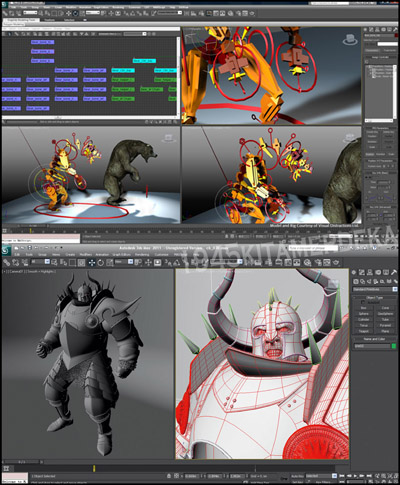
joonfp0e.jpg


Autodesk 3ds Max 2011 software offers compelling new techniques for creating and texturing models, animating characters, and producing higher-quality images. Enhancements to the modeling, texturing, and animation toolsets help significantly increase productivity, while a new node-based material editor, high-quality hardware renderer, and fully-featured compositor make creating stunning, photo-realistic images easier than ever.
 
Review Mudbox 2011

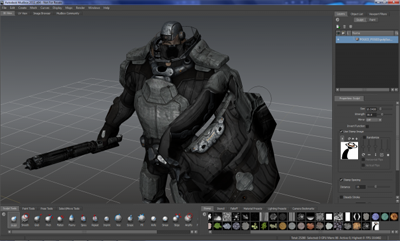
bszxjffm.png


Mudbox is, in the simplest of terms, a program that simulates playtime with a ball of clay. Whereas Maya is used to bring digital models to life, Mudbox is used to literally sculpt those models in high detail. Mudbox allows modelers and texture artists to build production assets without having to worry about the superfluous technical mumbo-jumbo.

Mudbox gives the artist a massive collection of sculpting tools that smooth, grab, pinch, flatten, scrape, remove, add, and modify the digital clay. These tools reflect many real-world counterparts, so artists can focus on the art just as they would with an actual block of clay. Mudbox coupled with a Wacom Cintiq, for instance, becomes a supreme example of intuitive technology simulating physical art.

The software is hardly limited to just sculpting. Mudbox handles painting on models directly in real-time, texture baking for normal, displacement, and occlusion maps, model posing and transformation, viewport rendering, and quick output of 360 degree turntable animations. The further one digs into Mudbox’s feature set, the more blatant it becomes that despite its primary focus as a digital sculpting program, sculpting models is only the tip of the iceberg.
What’s new for 2011

Like music to the ears of various Autodesk users, upgrades have been made to Mudbox 2011 that gives the software greater interoperability with Autodesk Softimage 2011, 3DS Max 2011, and Maya 2011. Hotkeys that mirror their reflective 3D packages are now in place to help users work in comfort. Models from Softimage, 3DS Max, and Maya can now be imported into Mudbox as well, with their weighted skeletons remaining fully intact and able to be manipulated with Mudbox’s posing system.

Speed in the approval process has been a large focus of Mudbox’s enhancements for 2011. The posing toolset has been configured for maximum efficiency. Once the model has been created (or imported) and posed, Mudbox is able to quickly automate a turntable animation and render the video out to a myriad of different formats. The idea is quick output to showcase the work or to have it sent off for approval, and it is all done within the software.

Mudbox 2011, despite its intricate complexities, is a remarkably simple package. Prior to installing the suite, I had never even seen Mudbox’s UI until I first booted it up. After a few moments of familiarizing myself with the toolset, I was able to begin sculpting and creating real results. There is much to learn in a sculpting package like this, but new users should not shy away—its operating environment is quite friendly.

Modelers will often point at the similarities between Autodesk’s Mudbox and Pixologic’s Z-Brush. Both ofter digital sculpting and rigging/posing tools. After spending time with Mudbox 2011, I see a clear advantage thanks to its interoperability with the Creative Suite. Having an animation package and modeling packing in one suite is a one-two punch, and the tight integration lends to Mudbox’s strength. If Z-Brush is all you’ve even known, give Mudbox a try. It will more than likely be a pleasant surprise.
 
Review

*Carrara 7 Pro

header_whatsnew.jpg


Carrara 7 Pro augments already impressive animation, landscape, modeling, and rendering capabilities with a strong set of new features. The significant enhancements to Carrara 7 help deliver a professional 3D solution at a price that fits into almost any budget. Carrara 7 will stimulate professional users toward greater creativity and help them to stay competitive, while providing incredible ease-of-use and unbelievable results.

Carrara 7 also includes support for Content Figures that have multiple Levels of Detail (LOD).

You can use lower LOD figures in your viewport to enhance performance and then render with a higher LOD figure for the best quality. If you have multiple figures in the scene you can enhance performance by reducing the mesh resolution on those figures that are further away from the camera and don’t require as much detail. Carrara 7 provides advanced auto-switching capabilities that will automatically switch between higher and lower LOD figures based on distance from the camera. As the figure or the camera is moved within the scene, the system determines which figure to use based on user determined preference settings.

Carrara 7 includes a new 3D Paint Tool that enables textures to be selected, edited and "painted" directly onto an object. The 3D paint tool provides a variety of painting modes including brushing with a variety of brushes, airbrushing, stamping, and support for lines, an eyedropper, and an eraser. Custom brush settings can be saved and later reused.

3D Paint also supports layers, image stamping, and tablet support. We've also added Real-time display of bump maps and specularity.

Carrara 7 includes a new UV Editor that shows a 3D view of the polygon mesh, a 2D display of the UV values on the polygon mesh vertices, and a set of tools to manipulate them.

You can choose from four different projection methods to use for custom mapping. The UV editor "Unfold" function allows you to define seams and pinpoints where the UV template will be unfolded and later stitched. The relax seam tool helps you selectively reduce the dense areas of the UV for a more uniform map and gives you a much more accurate display of textures.

The Vertex Modeling capabilities that were previously only available in the "Modeling" room are now available in the "Assembly" room. This enhancement saves time by allowing you to perform modeling functions in the assembly room where other objects can also be seen.

The Multi-pass Rendering tool new in Carrara 7 enables you to render multiple passes and save these off to separate image files. These render passes or layers (multi-pass render layers) can be edited in another application such as Photoshop to increase contrast in the rendered image, change a reflection color, make an edit to a shadow map, or even swap out a background color.

This tool will make it faster to make changes to a rendering, instead of re-rendering for hours and hours. The edits to layers can be changed in minutes.


lady_streets.jpg
 
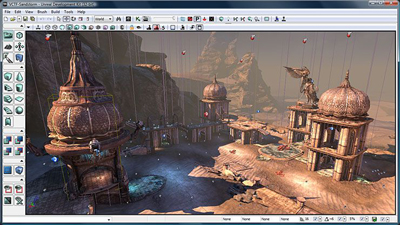
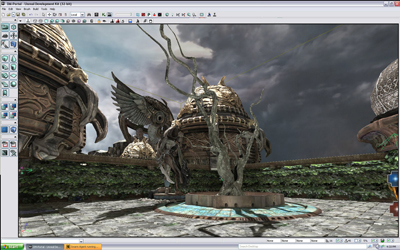
Review : Unreal Development Kit / Unreal Engine 3


UDK (Unreal Development Kit) adalah Unreal Engine 3, kerangka kerja lengkap untuk pengembangan profesional. Semua tool yang kamu butuhkan untuk membuat games bagus, advanced visualizations dan simulasi 3D mendetail tersedia. Siapapun itu, banyak yang telah menggunakan Unreal Engine 3, diantaranya, developer game, studio TV, sutradara machinima, artist, dll. Jika kamu punya ide untuk direalisasikan, UDK is for you. Hanya UDK yang memiliki power, flexibility dan track record dari Unreal Engine 3. tool ini telah terbukti dengan releases dan awards yang tak terhitung banyaknya. There is no better way to make awesome games than with UE3. And best of all, it’s free. Penggunaan UDK untuk tujuan noncommercial bebas biaya. Theorically, semua orang sekarang memiliki kemampuan untuk membuat game seperti Gears of War 2.
 
 URL Pendek:

| JAKARTA | BANDUNG | PEKANBARU | SURABAYA | SEMARANG |

Back
Atas.