

Florentina
IndoForum Beginner A
- No. Urut
- 3755
- Sejak
- 26 Jul 2006
- Pesan
- 1.160
- Nilai reaksi
- 156
- Poin
- 63
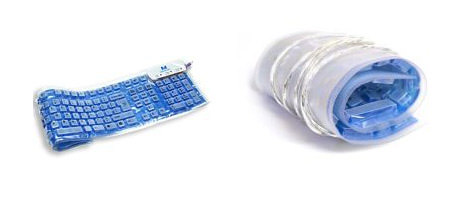
These keyboards feature 104 keys in a standard QWERTY layout, but with a nifty twist of being the most portable keyboard seen to date. Simply roll the unit up when you’re done with it! A great tool for laptop users who miss their full-sized KB when on the road, or LAN party warriors looking to lighten their load.
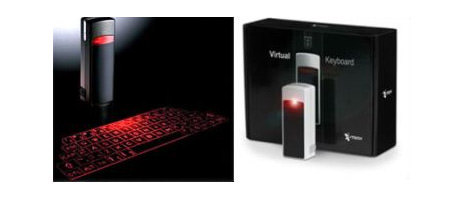
The I-Tech Virtual Keyboard uses a light projection of a full-sized computer keyboard on almost any surface. Used with PDA’s and Smart Phones, the Virtual Keyboard provides a practical way to do e-mail, word processing and spreadsheet tasks, enabling users to leave laptops and computers at home.
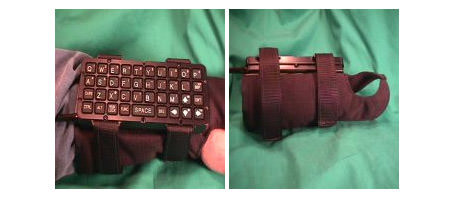
Completely sealed, it can operate in the rain and other harsh environments. A curved back provides a secure and comfortable placement on the wrist. The keyboard layout is optimized to provide alphanumeric entry. Carefully positioned arrow keys ease menu-oriented tasks. The WristPC keyboard comes with an optional wrist strap to provide the capability of attaching it to your wrist.
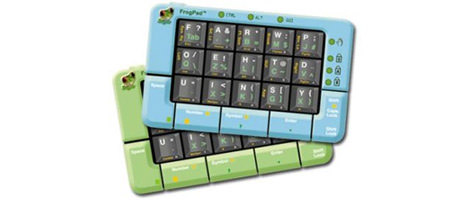
The FrogPad mobile keypad with its innovative 20 full-size key layout optimized around the most frequently used characters sets a new standard in information access with superior portability and ergonomics, global adaptability, rapid learning and ease of use. Its unique patented keystroke algorithms enable it to be used in either a right or left-handed mode and with any international language set.
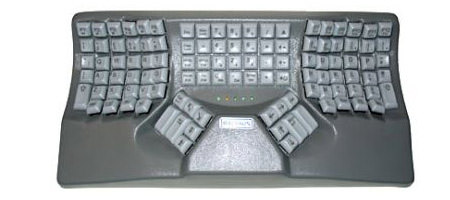
These fully ergonomic two handed keyboards fit the shape of hands and the different lengths of fingers to reduce movement and tension.
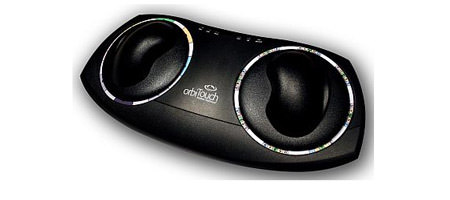
The Orbitouch Keyless ergonomic Keyboard creates a keystroke when you slide the two domes into one of their eight respective positions. You type the different characters by sliding the domes to create letters and numbers. The orbiTouch Keyless ergonomic Keyboard also has an integrated mouse, so moving the domes gives you full mouse and keyboard capability!
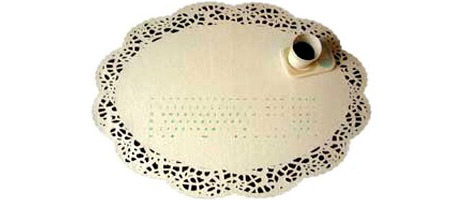
The marriage of eating and tipping: the decorative tablecloth, made of felt, contains a textile keyboard. The electronic is woven into a fabric, which finds itself between layers of water resistant felt as sandwich material. The soft felt surface makes it a pleasure for fingers to tip a cozy keyboard.
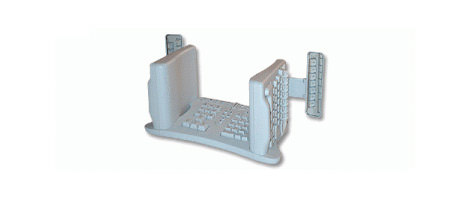
This well thought at keyboard will allow you to type in a relaxed position, saving you the pain. All that despite its futurist look. The supplementary keypad allows the user to position the 10-key numeric pad with arrow keys anywhere that is most usable and comfortable. It can be on the left or the right, or even in your lap. We are constantly amazed by the tremendous variation in challenges and how people find solutions for their own problems.
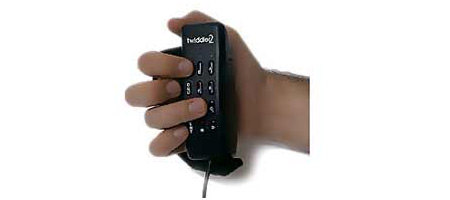
The Twiddler 2 is a pocket-sized mouse pointer plus a full-function keyboard in a single unit that fits neatly in either right or left hand. The Twiddler 2 plugs into both keyboard and mouse PS/2 ports (USB port with the PS/2 to USB Adapter) on any computer that accepts standard PS/2 mouse and keyboard (or USB input). Combining major innovations in pointer and keyboard technology, the twiddler is designed to bring renewed enjoyment to current computer users and to attract newcomers to the world of personal computing.
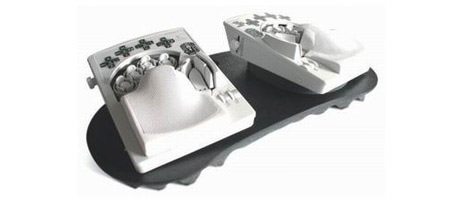
The DataHand ergonomic keyboard offers a total of 132 keys (more than even extended flat keyboards) through the use of five key switches clustered around the tips of each of the fingers. With four modes, shifted by the thumbs, hand movement is no longer required to perform keyboard work. Hand support results in the elimination of the major source of muscular-skeletal stress in hands, wrists, arms, shoulders, backs, and necks.
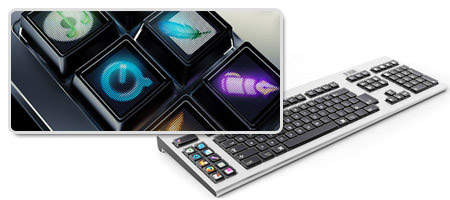
Each and every key on the Optimus Keyboard is a stand-alone display that shows you exactly what it is controlling at the very moment.
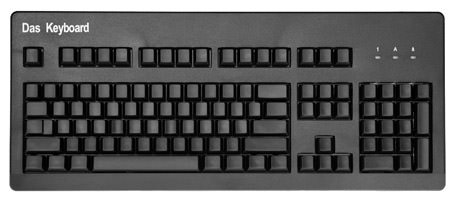
Where is the letters? Das keyboard believe with no keys to look at when typing, your brain will adapt and memorize the key position thus increasing typing speed.
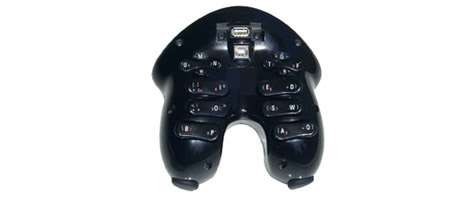
Claimbled to the most comfortable computing device. It is a gaming pad, a keyboard also comes with a mouse trackball.


