• Saat ini Anda mengakses IndoForum sebagai tamu, sehingga Anda tidak memiliki akses penuh untuk melihat artikel dan diskusi yang hanya tersedia bagi anggota. Dengan bergabung, Anda akan mendapatkan akses penuh untuk bertanya, mengirim pesan pribadi, mengikuti polling, dan menggunakan fitur-fitur lainnya. Proses pendaftaran sangat cepat, mudah, dan gratis.
    Silakan daftar dan validasi email Anda untuk mendapatkan akses penuh sebagai anggota. Harap masukkan alamat email yang valid dan periksa kotak masuk Anda setelah mendaftar untuk proses validasi.

Jual Jual Paket DVD Tutorial GOOgle SketchUp (Cara cepat & mudah belajar 3D architecture)

thedoctor21

IndoForum Newbie B
No. Urut
108643
Sejak
10 Nov 2010
Pesan
244
Nilai reaksi
0
Poin
16

Kunjungi Toko Online Kami:

www.TheDoctorTutor.com

Jual Paket DVD Tutorial GOOgle Sketch Up; Cara cepat belajar 3D(sKETCHUP GO TO SCHOOL LEVEL 1 & 2 dan Lynda.com + Vray)

Google%20SketchUp8.jpg
Buat kalian yang selama ini mengalami hambatan mempelajari 3d seperti 3ds max ,Maya, Cinema 4D atapun software lainnya.
Ini adalah software yang sangat membantu anda lebih cepat membuat rancangan 3d untuk arsitektur, merancang Desain Interior maupun exterior seperti untuk merancang rumah, dapur, ruang tamu maupun tidur. Karena Software ini memang dirancang dengan tool yang sangat sederhana tidak serumit software 3d lainnya.

Making House

[

Anda bisa melihat gambar-gambar dibawah ini untuk melihat hasil dari penggunanan Google Sketch up yang tidak kalah dengan software 3D lainnya:

GoogleSketchUp%5B7%5D.jpg


sketchup-atandt.jpg


GoogleSketchUp.jpg


render000.jpg


2rw8dgk.jpg


bedroomnomeradonazl9.jpg

Kelebihan Sketch Up:

*Aplikasi ini dirancang untuk menjadi lebih mudah digunakan dibandingkan program CAD 3D.

*Beberapa fitur kunci dan kegunaan SketchUp antara lain:
sistem kursor penggambaran yang ‘smart’ yang memungkinkan pengguna untuk menggambar obyek 3D melalui layar dan mouse 2D,

*kapabilitas untuk studi massa simpel via‘push-pull’, ‘Follow Me’, untuk membuat bentuk 3D dengan mengembangkan surface 2D pada suatu path yang ditentukan,

*kemampuan untuk menganimasikan gerakan kamera dan matahari, hingga mencakup fitur-fitur untuk memfasilitasi model penempatan di Google Earth.

*Pengguna dapat menggunakan akun Google mereka untuk meng-upload model dan kemudian browse 3D Warehouse untuk banyak model dan komponen.

Description Google Sketch up

SketchUp merupakan sebuah program pemodelan 3D yang dirancang untuk arsitek,insinyur sipil,pembuat film,game developer dan profesi terkait.

SketchUp ini dikembangkan oleh perusahaan startup@ Last Software, Boulder, Colorado yang dibentuk pada tahun 1999.
SketchUp pertama kali dirilis pada bulan Agustus 2000 sebagai tujuan umum alat pembuatan konten 3D. Aplikasi ini memenangkan penghargaan Community
Choice Award di sebuah pameran pada tahun 2000.

Kunci keberhasilan awal adalah waktu belajar yang lebih pendek daripada alat 3D lainnya. Sedangkan Google SketchUp adalah versi SketchUp yang dapat diunduh secara gratis (dirilis pada 27 April 2006).

Versi gratis ini tidak secanggih SketchUp Pro 6,tapi justru memiliki tools yang terintegrasi untuk meng-upload suatu konten ke Google Earth
dan Google Earth 3D Warehouse. File dalam Google SketchUp dapat dieksport ke berbagai format 3D, termasuk format Google Earth (.kmz).

Sementara itu, versi Pro 6 memungkinkan eksport ke format dengan ekstensi .3ds, .dae, .dwg,.dxf, .fbx, .obj, .xsi, dan .wrl.

Selain itu, Google SketchUp dapat digunakan untuk me nyimpan screenshot obyek ke format.bmp, .png, .jpg dan .tif
 
PAKET DVD TUTORIALNYA:

0.jpg


GoogleSketchUp Go To School

A.SKETCH UP GO TO SCHOOL LEVEL 1

Go2School+Google+SketchUp+Training+DVD.png
[/CENTER]
This video lessons was designed to teach all skill levels the fundmental skills and techniques to modeling efficiently and effectively in Google SketchUp. If you are just getting started using the program, you'll appreciate that we start from scratch and build your knowledge from the ground up. And to those that have been using the program for years - we guarantee that you learn something new to add to your repertoire.
This video contains 26 chapters and over 2 hours of instruction. We begin by teaching you to draw in 2 dimensional space before moving on to create 3 dimensional objects. Finally, we finish by showing you how to build an entire house.

B.SKETCH UP GO TO SCHOOL LEVEL 2
a7121932sketupleve.png
Description:
From Groups and Components, to Photomatch and Animations - this DVD focuses on more advanced SketchUp topics. We take the tools and commands that you're familiar with and teach you how to use several of those functions together to create time-saving SketchUp workflows. We recommend that you watch our Level 1 training DVD first to establish a solid base of 3D modeling fundamentals, then watch this DVD to learn more advanced workflows.
This DVD contains 6 different lessons with nearly three hours of total instruction. We begin by creating more complex buildings and teaching you how to work effectively with groups and components. Then we demonstrate how to draw complex objects using the Follow-me tool. Finally, we cover advanced topics such as Photomatch and creating Animations.

C.Go2School Google SketchUp Pro Series, SketchUp + CAD (New)
bd4f71csketchupca.jpg
Description:
This DVD is geared for professionals looking to become more efficient and effective at using CAD and SketchUp together. Architects, builders, and anyone else that needs to understand now to make SketchUp and CAD play nice, this DVD is for you!
This is the first installment in School's professional series, our professional series assumes you already have a solid understanding of the fundamentals of SketchUp and each installment will explore more advanced topics in detail. This DVD is geared for professionals looking to become more efficient and effective at using CAD and SketchUp together. Mike Tadros shares 2 hours of knowledge that will save you hours of time that you would have otherwise spent banging your head against the wall. Architects, builders, and anyone else that needs to understand how to make SketchUp and CAD play nice, this DVD is for you!

e3270ccasketchupca.jpg

D.GOOGLE SKETCHUP Essential training LYNDA.COM
612-230x230.gif
Description:
Architecture, design, and media professionals all over the world are using Google SketchUp to create detailed 3D models efficiently and quickly. In Google SketchUp Essential Training, design expert George Maestri teaches the foundations of SketchUp’s drawing, design, and rendering tools. He covers the fundamentals of the application, the interface, and the Sandbox extension, which is used to create realistic organic shapes and terrain. George also discusses how to model and texture objects from existing photographs and export models to Google Earth to visualize how buildings fit in a real landscape. Exercise files accompany the course.


E.Google SketchUp Pro Tools And Techniques​

10012214484738a947a3524579.jpg
Description:
Google SketchUp Pro: Tools and Techniques shows professional users of Google's popular 3D modeling software how to create compelling 3D graphics. Author George Maestri focuses on the features available in Pro that make SketchUp a valuable design tool. He demonstrates the new Dynamic Components and shows how using them can add interactivity to a model. He teaches how to create custom Dynamic Components from models, which is a feature unique to Pro. He also explores SketchUp Pro's companion application, LayOut, a presentation tool that retains the editability of models even when they're embedded in documents. Last but not least, George shows how to export and import objects to and from other programs, such as AutoCAD and 3ds Max. Exercise files accompany this course.


F. Lynda.Com Google SketchUp 7 New Features
2zjb0as.jpg

G. Google SketchUp for Dummies (ebook+videos)
01234150608.jpeg


H.Video Training Interior Rendering Vray for Sketchup Tutorial

interiorrenderingvrayfo.jpg

H.Video Collection Vray for Sketchup Tutorial

vray_sketchup.jpg


Kode:
[B]Exterior Render: Vray for Sketchup 
Interior Illumination - V-Ray for SketchUp
V-Ray for SketchUp Materials Bump Displacement 
V-Ray for SketchUp V-Ray Toon Tutorial 
V-Ray for SketchUp Material Basics 
V-Ray for SketchUp Tutorial - Sun & Sky - Beginner 
V-Ray for SketchUp HDRI 
V-ray Sun [/B]
For Bonus:

A. Ebook Google SketchUp
SU5Cover.jpg

9780470345252.jpg

B. TUTORIAL Sketchup Tips and Tricks Drawing a House (B.Indonesia)

C. TUTORIAL Google SKETCHUP Essentials video tutorial (B.Indonesia)

D. TUTORIAL VRAY( B. Indonesia )

E. TUTORIAL INDIGO (B. Indonesia )

E. SOFTWARE GOOGLE SKETCH UP 7 INCLUDE PLUGIN

F.Vismat Material Collection SKETCHUP

vismat_material_collection_logo.png


G. New Software Google SketchUp Versi 8 include Vray 8
 
Kunjungi Toko Online Kami:

www.TheDoctorTutor.com

Harga : Rp 120.000,-

1. Silahkan langsung sms ke no 0853 7809 8170

2. sms alamat lengkap anda untuk menghitung ongkos kirim.

3. Transfer uang dilakukan dengan bunk BCA / Mandiri, no rekening akan kami sms bila sudah deal.

4. Bila sudah transfer, harap sms kami kembali.

5. Paket akan segera ditangani bila uang sudah ditransfer kepada kami, jadi harap sms bila sudah transfer.

6. Barang akan kami kirim lewat jne, lama pengiriman tergantung jarak pegiriman.

7. No resi jne akan kami sms kembali kepada anda setelah dikirim sebagai bukti pengiriman.

8. Terima Kasih atas kerjasamanya.


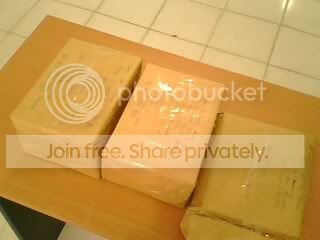
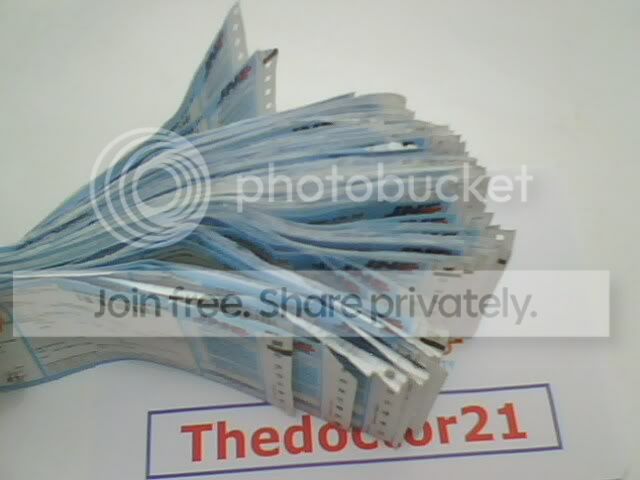
Penampakan selama saya berjualan di ******:

IMG0224A.jpg


IMG0245A.jpg


IMG0251A.jpg
 
 URL Pendek:

| JAKARTA | BANDUNG | PEKANBARU | SURABAYA | SEMARANG |

Back
Atas.